> ## Documentation Index
> Fetch the complete documentation index at: https://docs.unhook.sh/llms.txt
> Use this file to discover all available pages before exploring further.
# Introduction
> Simplify webhook development for your entire team
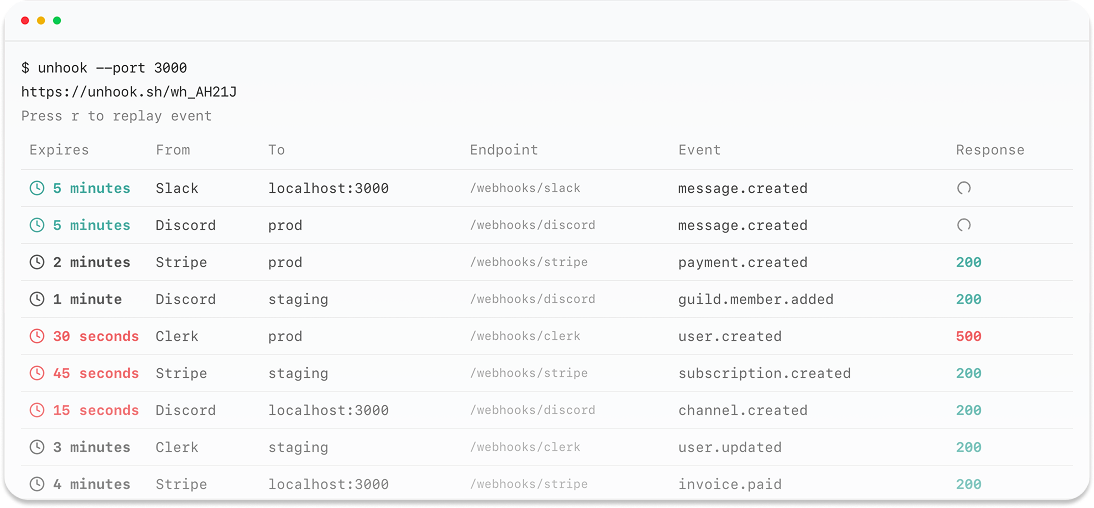
 ## What is Unhook?
Unhook is an open-source tool that makes testing webhooks during local development simple and secure. Perfect for teams - share a single webhook endpoint while everyone tests locally.
Get started in seconds with a simple CLI command
Share webhook URLs across your entire development team
## Key Features
Unhook provides everything you need for efficient webhook development.
Automatically routes webhooks to the right developer's machine
Monitor and debug webhook requests in real-time
Built with security-first principles and encrypted traffic
Works with Stripe, GitHub, Clerk, and many more providers
## Getting Started
The fastest way to get started with Unhook is through our CLI:
```bash npm theme={null}
npm install -g @unhook/cli
```
```bash yarn theme={null}
yarn add @unhook/cli
```
```bash pnpm theme={null}
pnpm add @unhook/cli
```
```bash bun theme={null}
bun add @unhook/cli
```
```bash deno theme={null}
deno install @unhook/cli
```
```bash theme={null}
# Start the webhook
unhook listen
```
Visit our [Quick Start](/quickstart) guide to learn more about setting up Unhook for your team.
## What is Unhook?
Unhook is an open-source tool that makes testing webhooks during local development simple and secure. Perfect for teams - share a single webhook endpoint while everyone tests locally.
Get started in seconds with a simple CLI command
Share webhook URLs across your entire development team
## Key Features
Unhook provides everything you need for efficient webhook development.
Automatically routes webhooks to the right developer's machine
Monitor and debug webhook requests in real-time
Built with security-first principles and encrypted traffic
Works with Stripe, GitHub, Clerk, and many more providers
## Getting Started
The fastest way to get started with Unhook is through our CLI:
```bash npm theme={null}
npm install -g @unhook/cli
```
```bash yarn theme={null}
yarn add @unhook/cli
```
```bash pnpm theme={null}
pnpm add @unhook/cli
```
```bash bun theme={null}
bun add @unhook/cli
```
```bash deno theme={null}
deno install @unhook/cli
```
```bash theme={null}
# Start the webhook
unhook listen
```
Visit our [Quick Start](/quickstart) guide to learn more about setting up Unhook for your team.